For hotels
One record of temperatures and machine faults, across every kitchen in the hotel.
Main kitchen, restaurants, bars, pastry, the staff canteen: each has its own deliveries, cold rooms and machines. ProOps keeps their records in one place, written as the work happens.
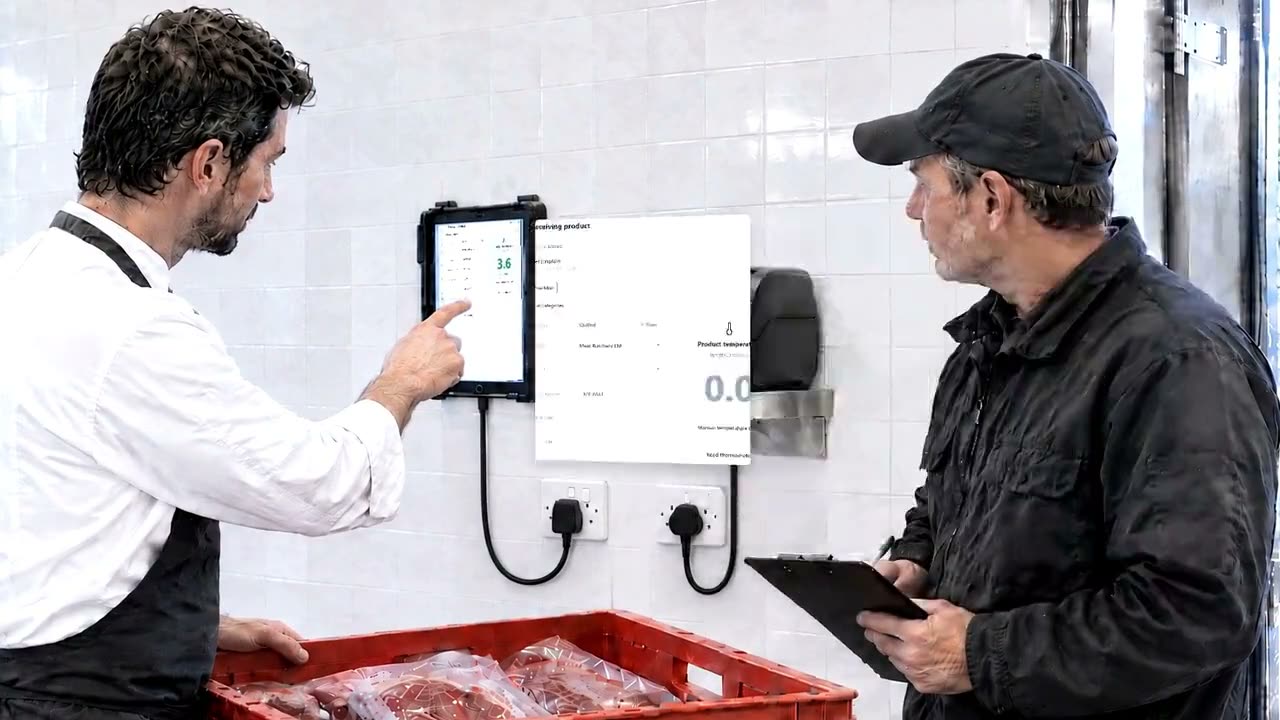
Sample data, fictional hotel.
The problem
A hotel has more kitchens than one chef can walk through in a shift. The delivery temperature is written on a sheet at the back door. A walk-in fails on a Saturday night and the breakfast team finds out when they open the door. The oven in pastry has been 'not right' for three days, and the engineer heard about it in the corridor. When the records are needed, they are in five places, in five handwritings.
How ProOps helps
What changes in the day of a hotel kitchen
Step 1
Every delivery, at every receiving point
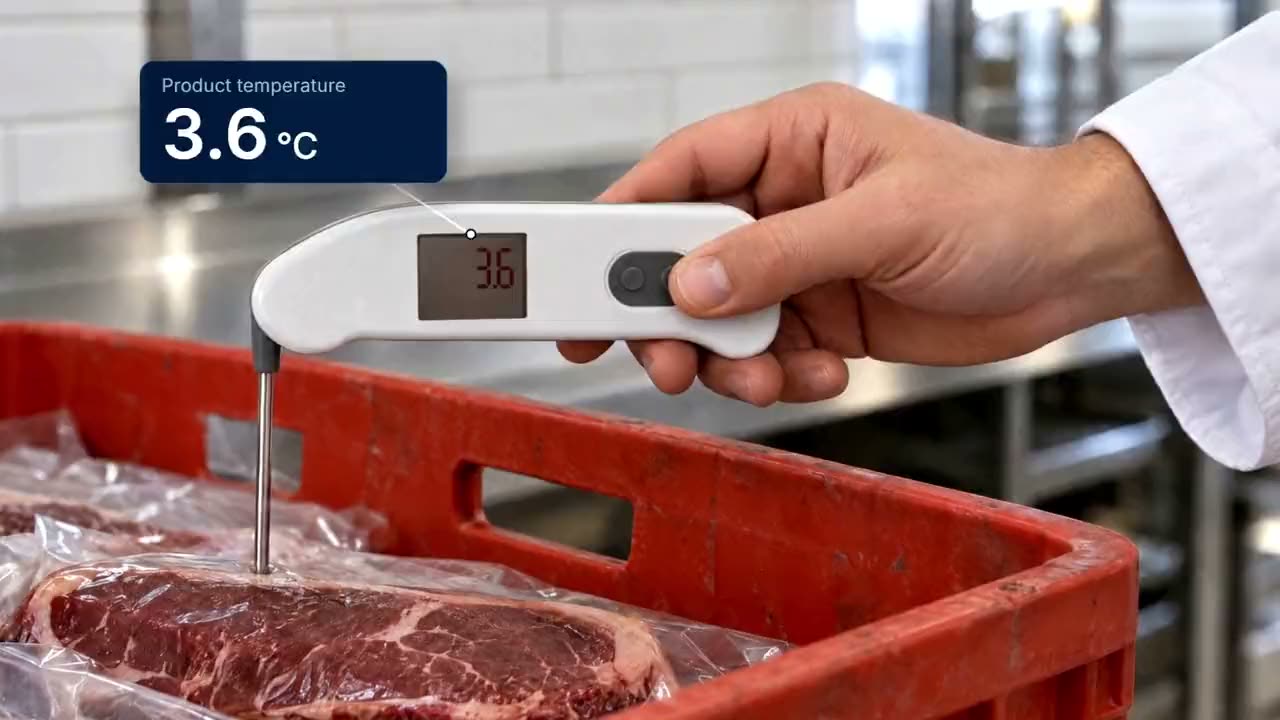
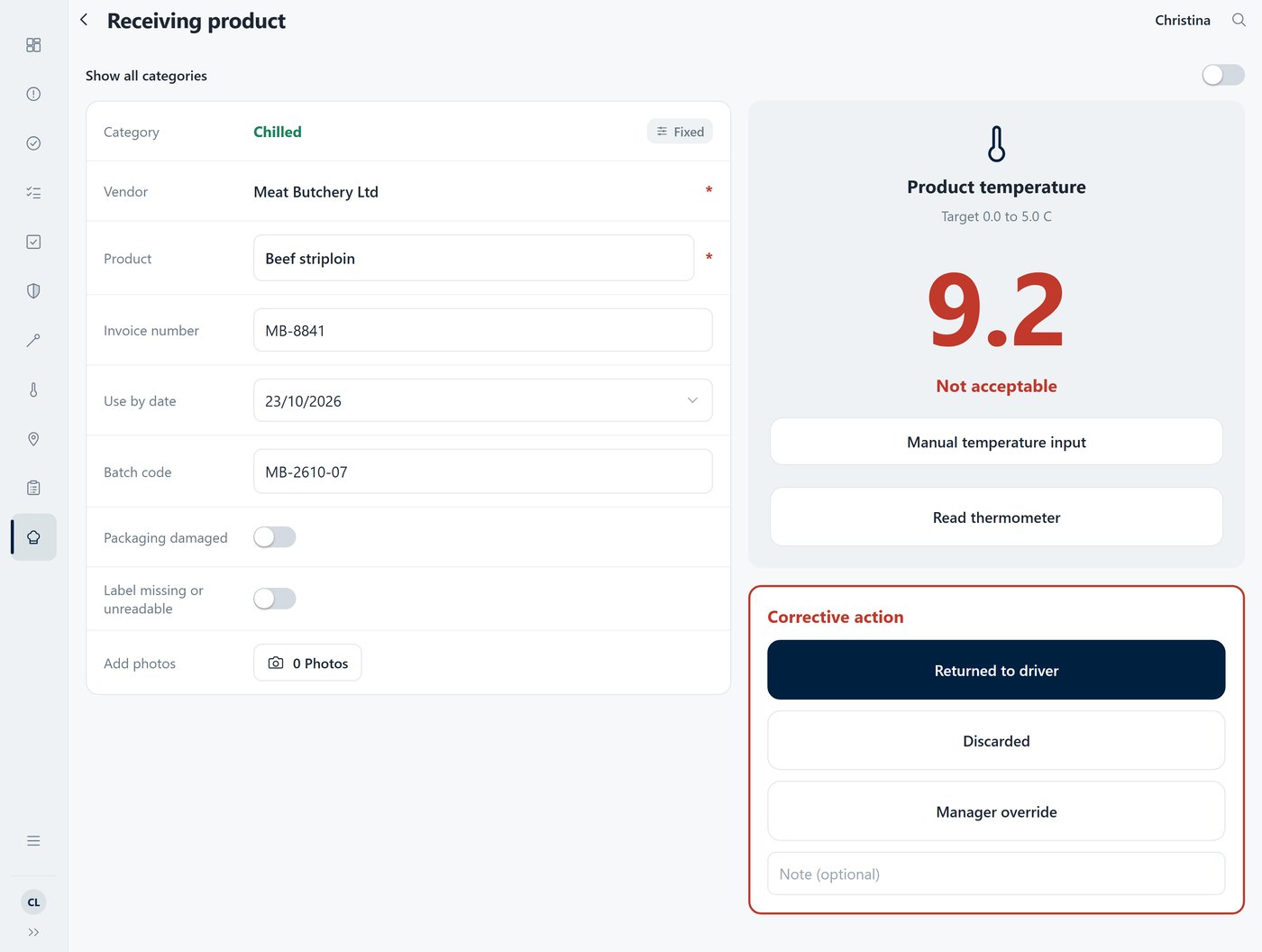
The chef probes the delivery and one tap sends the reading to ProOps over Bluetooth, so nothing is typed. Supplier, batch and use-by go in with it. Above the limit, the delivery cannot be saved until a corrective action is chosen: returned to the driver, discarded, or a manager override with a reason.
Step 2
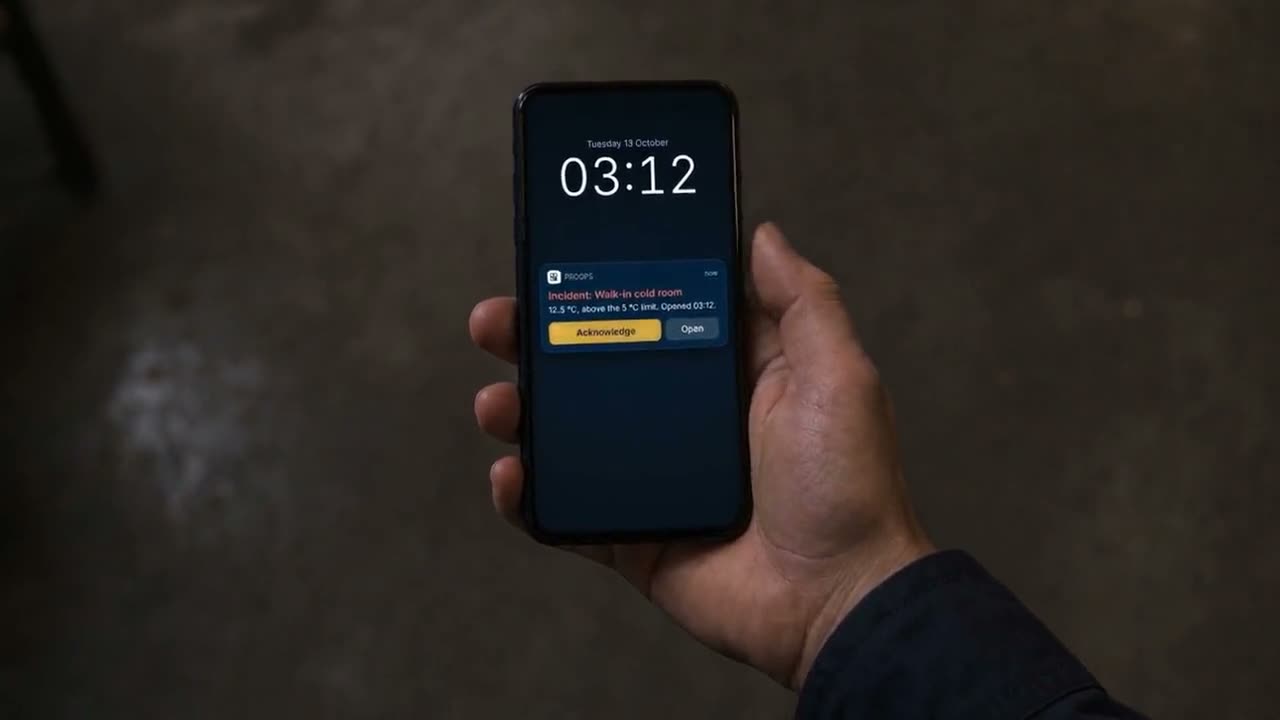
Every cold room, through the night
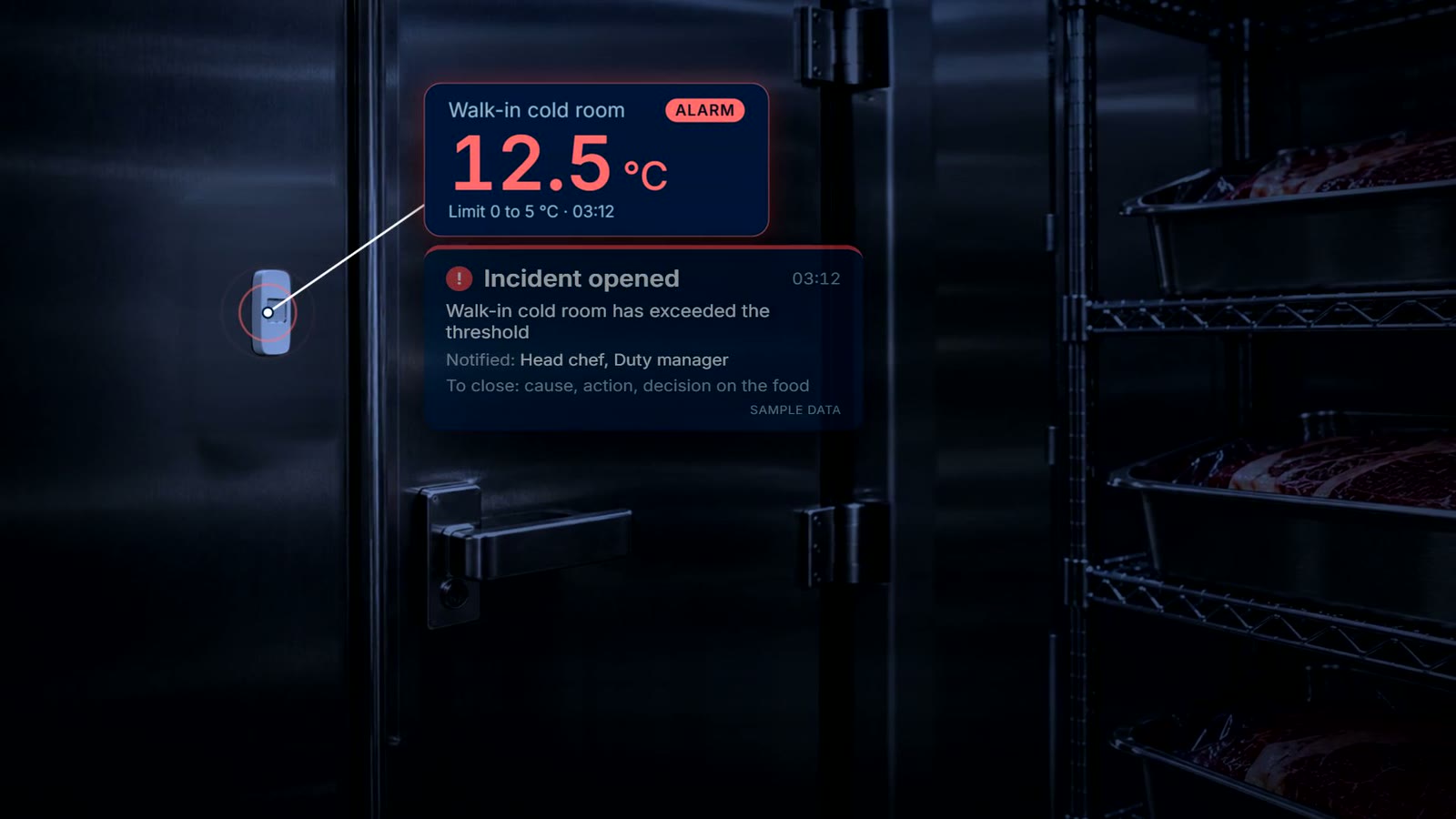
Wireless sensors record the walk-ins and fridges around the clock. When a reading passes the limit, the responsible team gets a push notification and acknowledges the incident. It stays open until the cause, the action and the decision on the food are recorded.
Step 3
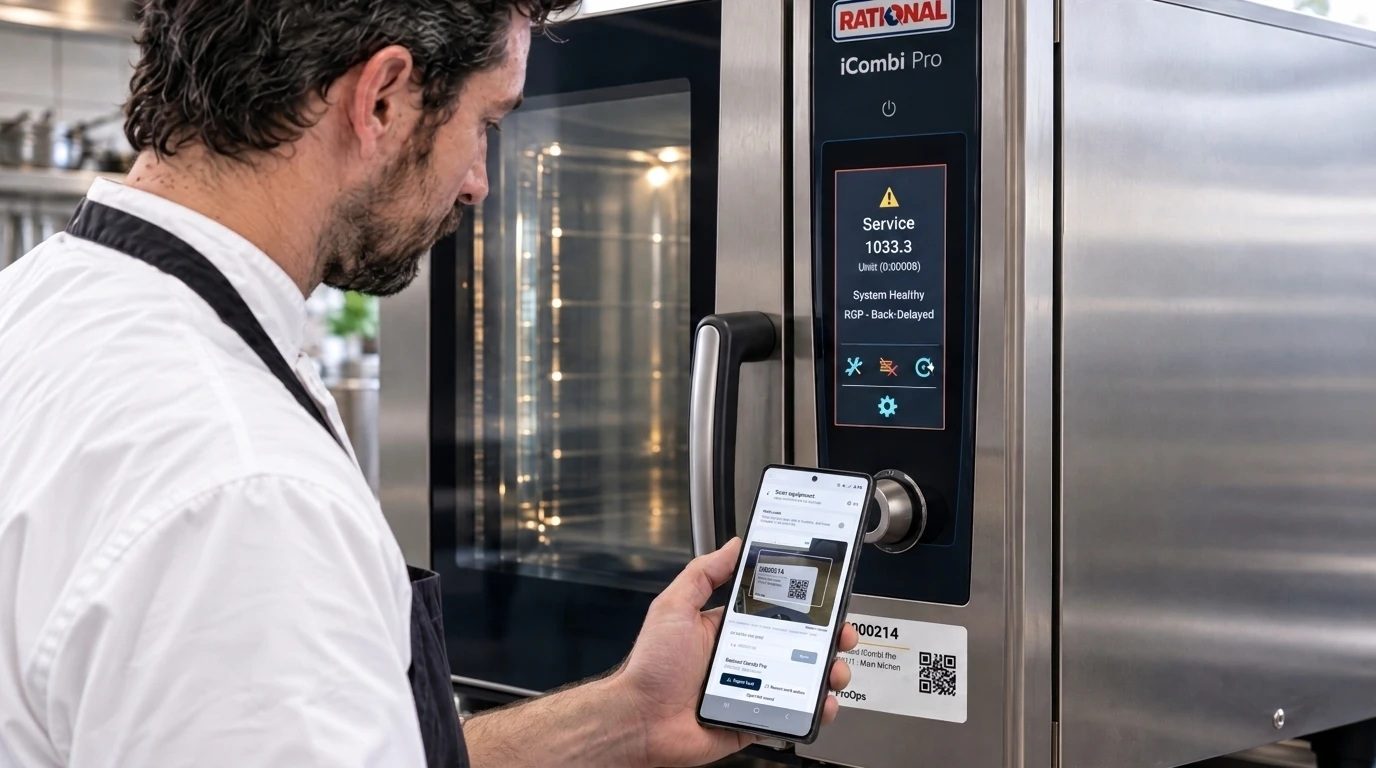
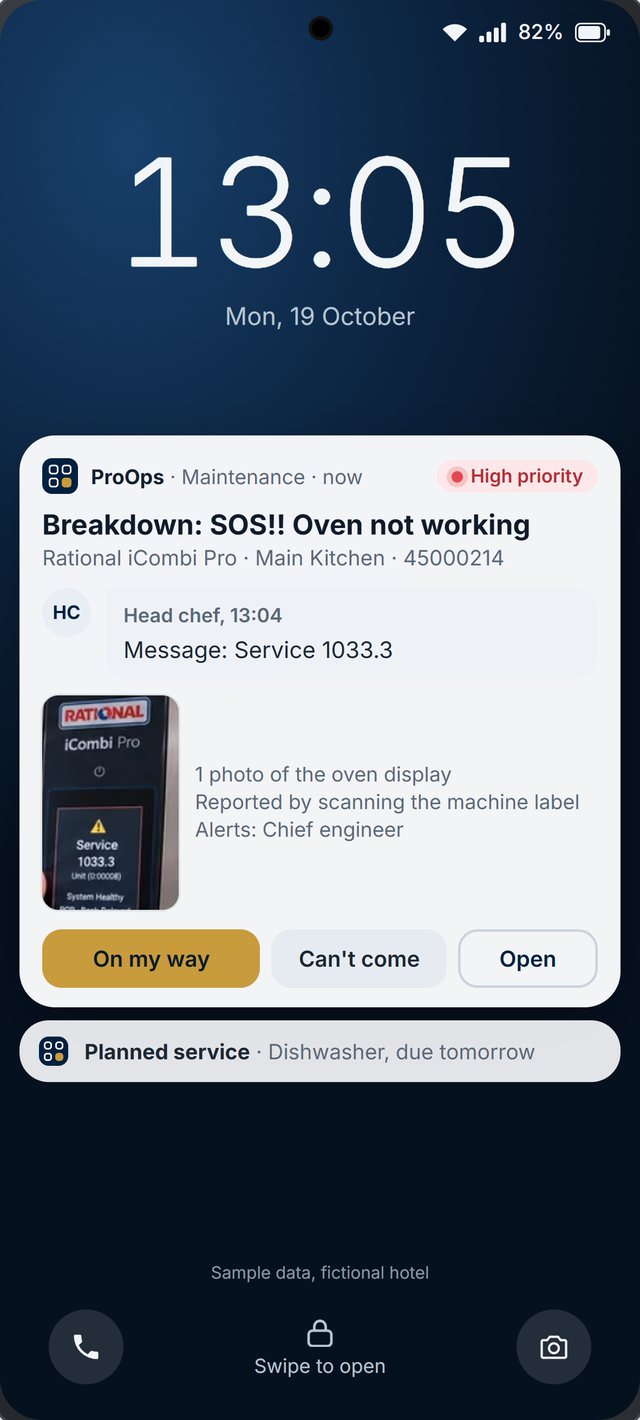
Every machine, with its own code
Ovens, dishwashers, fridges and mixers each carry a QR label. A scan files the fault against that machine, the report goes to the team responsible, and the engineer answers on the phone, for example 'On my way'. Each machine keeps its own history.
What is recorded
What stays on file
- Each delivery. the reading, product, supplier, batch, the limit and the time
- A warm delivery. the corrective action that was chosen, and the reason if a manager overrode it
- The labels. product, supplier, batch, received date and time, use-by
- The cold rooms. readings from the wireless sensors, around the clock
- An incident. when it opened, who acknowledged it, and the cause, the action and the decision on the food
- A machine fault. what was reported, when, against which machine, and what the engineer answered
Questions
Short answers
Can several kitchens and outlets on one property use it?
Yes. Each kitchen has its own receiving checks, cold rooms and machines, and the team responsible is told about its own incidents and faults. We set up your outlets in the demo account so you can see how it looks for your property.
Who is told when a cold room goes above its limit at night?
The team responsible gets a push notification on their phone and acknowledges the incident. The incident stays open until the cause, the action and the decision on the food are recorded.
How does an engineer find out about a broken machine?
Whoever finds the fault scans the machine's QR code and files the report. It goes to the team responsible for that machine as a notification on the phone, and the engineer can answer, for example, 'On my way'. The report and the answer stay in that machine's history.
What do we need to start?
A tablet or phone running ProOps, a Bluetooth thermometer for receiving, wireless sensors for the cold rooms, a label printer if you want printed labels, and a QR label on each machine. We start in a demo account with you.
Keep reading
See it on your own checks.
A 20-minute call. We set up your checklists, tickets, audits and machines in a demo account and walk through them with you.
Prevent. Acknowledge. Prove.